

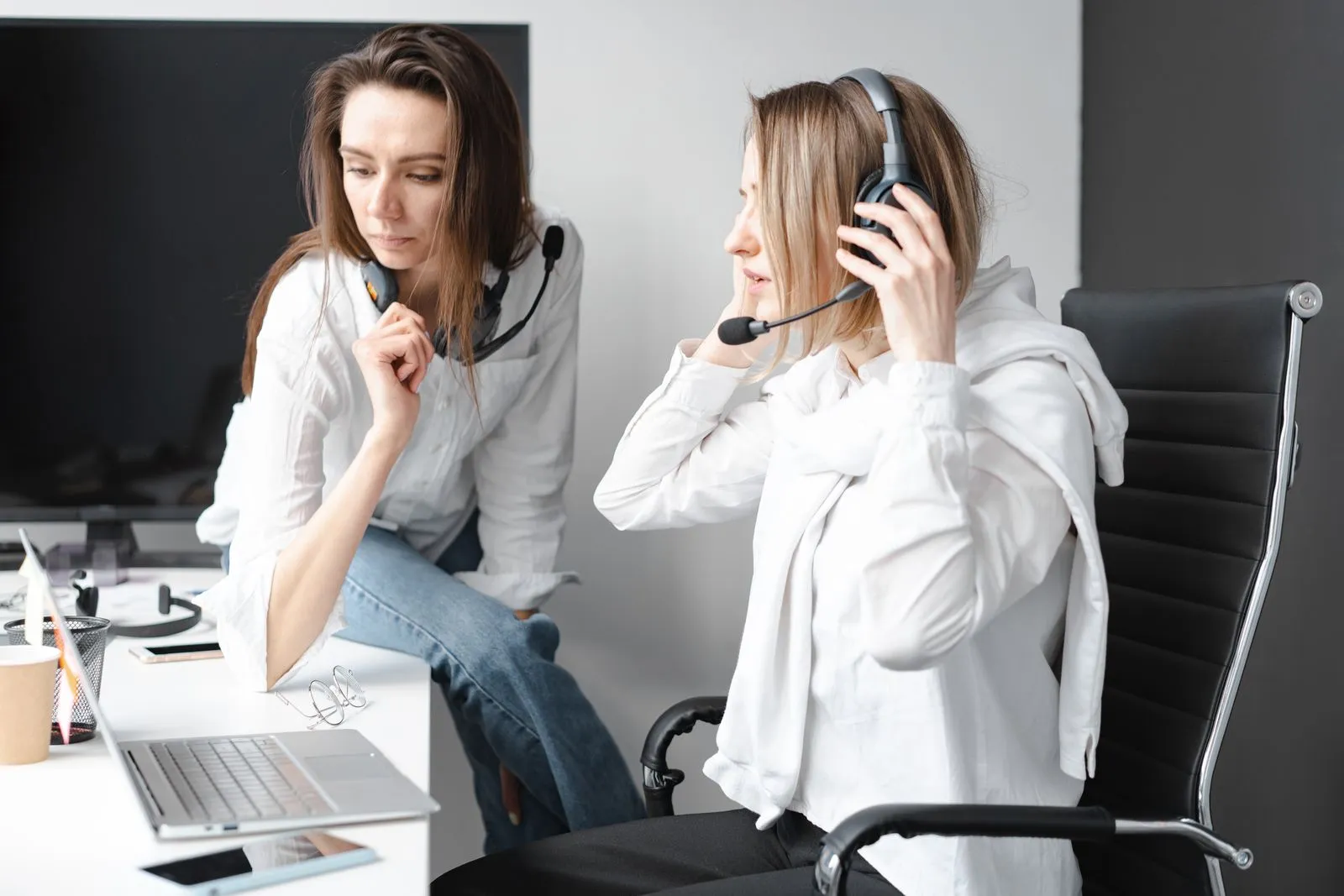
Choose wired USB when you work at one desk and want the simplest call setup. Choose Bluetooth when movement or switching between a phone and computer is useful enough to justify charging and pairing. Wireless headsets with a supplied USB dongle sit between those choices: they offer mobility while giving the computer a dedicated connection.
Start with the connector, then compare brands. Even a comfortable headset is a poor purchase when the plug does not fit or the microphone behaves unpredictably in your call app.
Wired USB is the safest starting point for a fixed desk because it needs no charging and is easy to troubleshoot. Native Bluetooth keeps ports free, but classic Bluetooth may switch from high-quality playback to a narrower two-way call mode when the microphone opens. A supplied work-headset dongle can simplify recognition and controls, but it still needs a compatible port and testing. Buy wireless when mobility solves a real work problem.
The short answer
| Your situation | Best starting connection | Why |
|---|---|---|
| Beginner VA at one laptop | Wired USB | Plug in, select once, no battery, easy to troubleshoot |
| Shared or locked-down work PC | Wired USB approved by the employer | Less pairing friction; check device policy before installing companion software |
| Calls split between laptop and phone | Bluetooth multipoint or USB-dongle wireless | Faster device switching when the model supports two active connections |
| You walk while speaking | Wireless with supplied dongle | Mobility plus a purpose-built computer audio path |
| Unreliable power or long emergency shifts | Wired USB or 3.5 mm backup | No headset battery to manage |
| Laptop has very few ports | Native Bluetooth | Preserves USB ports, provided the laptop’s Bluetooth is stable |
| Desktop plus phone/tablet | Hybrid model such as Blackwire 3225 | USB for the computer, 3.5 mm for compatible mobile devices |
For paid calls, a connection you can recover quickly is more useful than a cable-free appearance.
Four connection types, not two
1. Wired USB
USB headsets contain their own audio interface, so they bypass much of the variability in a laptop’s analog headset jack. Meeting apps can identify them by model, and inline mute/volume controls often work without charging. Current examples include:
- Jabra Evolve 20: current USB-C/A combination variants, with older USB-A and USB-C stock.
- Poly Blackwire 3220: current USB-C cable with tethered USB-A adapter.
- Yealink UH34: separate USB-A or USB-C variants with inline controller.
- Logitech H390: current USB-A or USB-C variants; the connector is fixed to the SKU.
The trade-offs are cable wear, desk snags, and an occupied port. Call buttons may behave differently across apps and UC/Teams variants, so certification is useful but still not a reason to skip testing.
2. Analog 3.5 mm
The Logitech H151 uses a single four-pole 3.5 mm headset plug. It requires no battery or USB port and can work across older laptops, phones, and tablets. However, some desktops have separate headphone and microphone sockets, and many new phones have no jack. A splitter or USB-C adapter must support microphone input, not only headphones.
The Poly Blackwire 3225 combines USB and 3.5 mm, making it useful when one headset must cover a work computer and a compatible mobile device. Its inline USB controls may not behave the same when connected through the analog plug.
3. Native Bluetooth
The Logitech Zone 300 connects directly over Bluetooth 5.3 and does not include a dedicated USB audio receiver in the standard consumer model. It preserves a USB port and supports common Windows, macOS, ChromeOS, iOS, iPadOS, and Android devices over Bluetooth. Native Bluetooth quality still depends on the computer’s radio, drivers, operating system, congestion, and profile support.
Classic Bluetooth normally uses A2DP for high-quality stereo playback. When an app opens the headset microphone, Windows can use HFP for two-way call audio. Microsoft’s documentation explains that these profiles serve different purposes. This is why music may sound fuller before a meeting and narrower after the microphone becomes active.
Some Windows 11 computers and headsets support Bluetooth LE Audio, which can improve two-way audio. Microsoft says this requires compatible hardware, drivers, and Windows support. A Bluetooth version number alone does not prove LE Audio compatibility, so check both the exact computer and headset before paying for that feature.
4. Wireless with a supplied USB dongle
The EKSA H16 includes a USB-A wireless dongle and also supports Bluetooth 5.2. The Jabra Evolve 65 TE includes Jabra’s Link 390 USB-A Bluetooth adapter and also pairs with mobile devices. Using the supplied adapter can simplify PC recognition and controls compared with pairing directly to an unknown laptop radio. It does not remove battery risk, radio interference, or the need for a free USB-A port.
Jabra’s support page recommends the supplied Link adapter where possible for optimal compatibility. The Evolve 65 TE also supports two simultaneous Bluetooth connections; EKSA publishes two-device simultaneous connection for the H16. Test the exact switching sequence because multipoint behavior can vary when both devices ring or play media.
Compatibility table
| Model | Main connection | Official platform/device scope | Common surprise |
|---|---|---|---|
| Logitech H151 | 3.5 mm TRRS | Computers, tablets, and smartphones with compatible jack | Separate desktop sockets need a splitter; USB-C audio adapters vary |
| Logitech H390 | USB-A or USB-C SKU | Windows, macOS, ChromeOS and common call platforms | The wrong connector cannot be changed without an adapter |
| Jabra Evolve 20 | Current USB-C/A; older single-plug stock | Leading UC platforms; Teams certification is variant-dependent | MS/UC and Mono/Stereo/SE variants look similar in listings |
| Poly Blackwire 3220 | USB-C plus tethered USB-A adapter | Current HP page lists Windows and macOS; USB-C devices must accept USB audio | Old stock may have only USB-A or only USB-C |
| Poly Blackwire 3225 | USB plus 3.5 mm | Computer plus compatible mobile/tablet | USB controls and certification do not necessarily carry through 3.5 mm |
| Yealink UH34 | USB-A or USB-C | USB computer audio; Teams/UC variants | Standard/Lite and Mono/Dual are separate SKUs |
| EKSA H16 | USB-A dongle or Bluetooth 5.2 | Bluetooth devices and USB-A computer via dongle | USB-C-only laptop needs a compatible adapter; charge cable is not wired audio |
| Logitech Zone 300 | Native Bluetooth 5.3 | Windows, macOS, ChromeOS, iOS, iPadOS, Android | No dedicated receiver in standard model; Logitech does not list Linux in current requirements |
| Jabra Evolve 65 TE | Link 390 USB-A adapter or Bluetooth 5.2 | Teams/UC variant plus mobile Bluetooth | Supplied adapter is USB-A; stand is optional by SKU |
Do not buy from the product title alone. Compare the manufacturer part number and box contents with the current official sheet. Marketplace inventory can mix discontinued connectors, new combination adapters, gray imports, and refurbished call-center stock.
Microphone and call-quality table
| Model | Official mic approach | Connection-related caveat |
|---|---|---|
| H151 | Rotating noise-cancelling boom | Analog result depends on the device input and adapter quality |
| H390 | Bidirectional noise-cancelling boom | USB is consistent, but there is no ANC for the listener |
| Evolve 20 | Unidirectional electret boom | USB call audio is predictable; passive isolation is not ANC |
| Blackwire 3220/3225 | Noise-cancelling mic, 100 Hz-10 kHz | 3225’s 3.5 mm path can behave differently from its USB path |
| UH34 | One mic with Acoustic Shield/AI noise cancellation | Firmware and app processing can affect results |
| H16 | Omnidirectional VoicePure ENC mic | Maker’s up-to-99.8% claim is not an independent guarantee for your room |
| Zone 300 | Dual beamforming mics with noise-cancelling algorithms | Native Bluetooth enters a two-way call profile when the mic is used |
| Evolve 65 TE | Unidirectional electret boom | Link 390 is the intended PC path; there is no speaker ANC |
Terms such as “noise-cancelling microphone,” ENC, and beamforming describe processing for the sound sent to the caller. They do not mean the earcups have active noise cancellation. Steady fan noise may be reduced more successfully than nearby speech, music, road horns, or sudden impacts. Mic distance and room echo still matter; use the setup in How to Sound Professional on Calls With a Cheap Headset.
Comfort, range, and battery table
| Model | Published weight | Battery/range | Practical comfort risk |
|---|---|---|---|
| H151 | 80 g | None | Light, but unpadded headband and simple cushions |
| H390 | 197 g | None | Padded earcups but the heaviest model here |
| Evolve 20 Stereo | 132 g with inline controller | None | Foam or leatherette depends on standard/SE variant |
| Blackwire 3220 | 87 g with cable | None | Very light; on-ear pressure is still personal |
| UH34 Dual / Lite Dual | 118 g / 110 g | None | Light on-ear fit; standard/Lite materials differ |
| H16 | Not published in official comparison | Up to 35 h calls at 70% volume; up to 15 m; about 2 h charge | Larger 40 mm on-ear cushions can become warm or clamp |
| Zone 300 | 122 g | Up to 16 h talk; up to 30 m open line-of-sight; about 2 h charge | Light, but range drops through walls and around interference |
| Evolve 65 TE Stereo / Mono | 106.3 g / 75 g | Up to 16 h talk; up to 30 m; up to 2 h charge | Light; mono improves awareness but provides less passive isolation |
Published wireless range is usually measured under favourable, open conditions. Reinforced walls, appliances, other 2.4 GHz devices, a laptop under a desk, and body position can shorten it. Battery life also changes with age, volume, calls, temperature, and radio conditions. A headset rated for one shift still needs a charging routine and wired backup.
Reliability and recovery
USB problems often come down to the cable, port, selected input, or inline mute control. Wireless adds the battery, pairing list, active device, Bluetooth mode, dongle, driver, firmware, range, and interference. That does not make wireless unsuitable, but you should know how to switch to a backup before a real client call.
For a paid call, keep these ready:
- the headset charging cable and a free power source;
- a cheap wired USB or 3.5 mm backup that you have already tested;
- the meeting link on your phone;
- the steps to switch microphone and speaker inside the call app;
- the client’s approved message channel if you need one minute to reconnect.
Internet dropouts can sound like headset failures. If voices become robotic for everyone, review Working as a VA With Slow Internet before replacing hardware.
Return-window connection test
Run these checks as soon as the headset arrives, while the order is eligible under the displayed seller and marketplace terms. Keep every box, adapter, bag, label, and manual, and record the unboxing.
- Cold start: restart the computer, then connect or pair without relying on yesterday’s state.
- App matrix: make test recordings in the two or three call apps you actually use. Confirm the named input/output, mute control, and speaker channels in each.
- Sleep and wake: let the laptop sleep, wake it, and confirm the headset reconnects and remains selected. Repeat after a full shutdown.
- Load test: stay on a full practice call while typing, sharing your screen, and playing a short video. Listen for dropouts, channel changes, clipping, and heat or pressure.
- Noise test: record quiet speech with a fan, keyboard, and one nearby voice. Do not judge only while you are talking; leave silent gaps to expose what processing passes through.
- Wireless test: walk only as far as your real work requires, turn your head, return to the desk, switch between paired devices, and test low-battery warnings. Do not rely on the open-range claim.
- USB/analog test: try every supplied connector and gently move the cable near the plug, controller, and earcup to reveal intermittent faults.
- Recovery test: power off or unplug the headset mid-call and switch to the backup in under one minute without leaving the meeting.
Marketplace return rules can differ by seller, programme, item, and reason. Use the deadline shown on your order, preserve evidence, and file through the platform promptly when the item is defective, wrong, incomplete, or materially different from the listing.
Which models make sense at each level
- At the lowest budget, the H151 can work when the analog jack matches. Otherwise, USB may be simpler than a stack of uncertain adapters.
- At a fixed desk, compare the Evolve 20, Blackwire 3220, UH34, and H390 by connector, fit, seller, and total price.
- When one headset must also serve a device with a 3.5 mm jack, consider the Blackwire 3225 after confirming that the device accepts its plug.
- For lower-cost wireless, the H16 is worth comparing when the supplied USB-A dongle matters.
- The Zone 300 suits buyers who value native Bluetooth and keeping USB ports free.
- The Evolve 65 TE is a work-focused step up when dual-device use, the Link 390 adapter, and call controls justify the price.
See live Philippine price bands and shopping links in Best Budget Headsets for VA Calls in the Philippines.
FAQ
Is USB or Bluetooth better for work calls?
For a fixed desk, wired USB is the simpler choice because it carries its own audio interface, adds no charging step, and is easy to troubleshoot. Choose Bluetooth when moving during calls or switching between a phone and computer saves enough time to justify pairing and battery management.
Why does my Bluetooth headset sound worse once I join a call?
Classic Bluetooth uses A2DP for high-quality playback, but a call app may use HFP when it opens the microphone. That can make music sound fuller before a meeting and narrower during the call. Some Bluetooth LE Audio setups improve two-way audio, but they require compatible hardware, drivers, and Windows support.
Is a USB dongle better than my laptop’s built-in Bluetooth?
It can be. A supplied work-headset dongle, such as Jabra’s Link 390, can simplify PC recognition and controls versus pairing to an unknown laptop radio. It doesn’t remove battery risk or interference, and it needs a free, compatible USB-A port.
What backup should I keep for wireless calls?
A cheap wired USB or 3.5 mm headset you’ve already tested, plus the headset charging cable, the meeting link on your phone, and the steps to switch mic and speaker inside the call app. Wireless adds more failure states — battery, pairing, profile, dongle, driver, range — so rehearse the recovery.
My call sounds robotic for everyone — is it the headset?
It may be the connection rather than the headset. If voices break up for several participants, check Working as a VA With Slow Internet before replacing hardware.
Sources & further reading
- Microsoft: Bluetooth Classic audio profiles in Windows
- Microsoft: Bluetooth LE Audio requirements
- Jabra Evolve 20 technical specifications
- Jabra Evolve 65 TE technical specifications
- HP Poly Blackwire 3200 Series comparison
- Yealink UH34/UH34 Lite specifications
- Logitech H390, H151, and Zone 300 specifications
- EKSAtelecom H16 official product specifications
- Shopee Philippines Refunds and Return Policy
Video references
Watch the workflow
One last check: if your next step involves a fee, an ID, or a platform account, open the official link first. Rules and availability can differ by country and can change after a guide is published.